
Process Printing Basics: Everything You Need to Know About CMYK
When a printed photograph, brochure, poster, or package contains a wide range of colours, those colours often come from a combination of a few standard ink colours. One of the most common approaches is process printing, which uses the CMYK colour model to reproduce a broad range of colours.
Understanding how CMYK works can help you prepare artwork more effectively and set realistic expectations for how colours will appear on the finished piece.
What Is Process Printing?
Process printing is a colour reproduction method that combines four ink colours:
- Cyan (C)
- Magenta (M)
- Yellow (Y)
- Black (K)
Different proportions of these inks are used to create a wide range of colours. Black is represented by K, or “Key,” to distinguish it from blue.
CMYK process printing is widely associated with offset printing, particularly for projects produced in larger quantities. However, CMYK-based colour reproduction is also used in various digital printing systems.
How Does the CMYK Colour Model Work?
CMYK is a subtractive colour model. Instead of producing colour by adding light, as RGB displays do, printed inks absorb portions of the light that reaches the surface.
Cyan
Cyan absorbs much of the red light reaching the printed surface.
Magenta
Magenta absorbs much of the green light.
Yellow
Yellow absorbs much of the blue light.
Black
Black adds density, contrast, and darker tones. It can also reduce the need to build very dark areas using only cyan, magenta, and yellow.
The exact appearance of a CMYK colour depends on factors such as ink, paper, printing process, and colour management. CMYK can reproduce a broad range of colours, but it cannot reproduce every colour visible on an RGB screen.
How Does Process Printing Work?
The exact workflow varies by printing technology, but a typical colour-managed process includes several stages.
Prepare the Artwork
Prepare design files according to the printer’s specifications. For projects intended for process colour printing, artwork may need to be converted or created in CMYK.
RGB images can be converted to CMYK, but some colours may change during the conversion because the two colour spaces have different gamuts.
Prepress Preparation
The file is checked for dimensions, resolution, bleed, colour settings, fonts, and other production requirements.
For traditional offset printing, the artwork is used to create printing plates for the four process colours. Digital printing generally uses a different imaging process and does not require conventional offset plates.
Apply the Colours
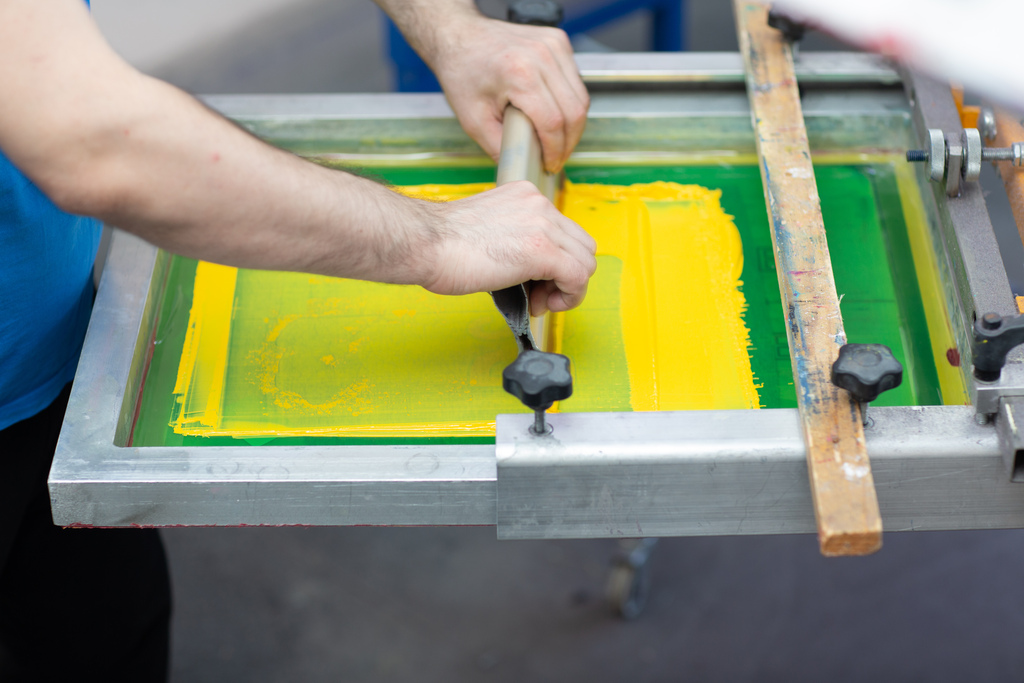
The four process colours are applied in controlled amounts. Precise alignment, known as registration, helps ensure that the colour components line up correctly.
Drying and Finishing
Depending on the printing process and materials used, the finished sheets may need time to dry or cure before additional finishing.
Coating, folding, trimming, binding, or other finishing processes can then be applied as required.

Why Is CMYK Used for Process Printing?
CMYK is widely used because four process colours can reproduce a broad range of imagery without requiring a separate ink for every colour.
Reproduces Detailed Images
Photographs and illustrations contain many colours and tonal variations. Process colour reproduces these elements through combinations of the four inks.
Works Across Many Applications
CMYK colour reproduction is commonly used for materials such as:
- Brochures
- Flyers
- Business cards
- Magazines
- Posters
- Catalogues
- Packaging
- Marketing materials
Supports Efficient Production
Using a standard process-colour system can simplify production for many full-colour projects, particularly when large quantities are involved.
However, CMYK is not always the right choice. A project requiring a specific brand colour may benefit from a spot-colour system or another colour-matching approach.
What Challenges Can Affect CMYK Printing?
Even when artwork is prepared correctly, the final result can differ from what you see on screen.
Colour Differences
Screens produce colour using light, while printed materials rely on ink and reflected light. Paper colour and finish can also affect the final appearance.
Registration Problems
In traditional multi-colour production, small registration errors can cause coloured edges or other alignment issues.
Ink and Paper Interaction
Different substrates absorb and reflect ink differently. A colour printed on an uncoated stock may look different from the same colour printed on a coated surface.
Colour Conversion
Converting RGB artwork to CMYK can change certain bright or highly saturated colours. Reviewing important colours before production can help identify unexpected changes.
How Can You Get Better CMYK Results?
A few preparation steps can make your project easier to reproduce accurately.
Use Suitable Image Resolution
For many standard print projects, images are commonly prepared around 300 PPI at their final size. The appropriate resolution can vary depending on the viewing distance and printing method.
Check Your Colour Mode
Ask your printer which colour profile and file settings they require. Do not assume that every printer uses exactly the same specifications.
Consider the Paper Stock
The same CMYK values can appear different on different materials. If colour consistency matters, consider requesting a proof or discussing suitable stock with your printer.
Check Important Brand Colours
If a specific colour is critical to your brand identity, discuss whether CMYK process colour can reproduce it closely enough or whether a spot colour or another solution would be more appropriate.
Process Printing vs. Spot Colour vs. Digital Printing
| Method | How colour is produced | Common use |
|---|---|---|
| CMYK process | Four process colours combine to reproduce imagery | Full-colour documents and marketing materials |
| Spot colour | Premixed inks are printed as separate colours | Specific brand colours and specialised projects |
| Digital printing | Digital equipment applies colour directly from the file | Short runs, variable data, and many commercial applications |
These methods can also be combined in some production environments. The appropriate choice depends on quantity, artwork, colour requirements, material, finishing, and budget.
Is CMYK the Same as RGB?
No. RGB is an additive colour model used by screens and other light-emitting displays. It uses red, green, and blue light to create colours.
CMYK is a subtractive model designed around printed inks.
This is why a design can look particularly bright on a monitor but appear different after being converted for print. For more information, see Triboro Printing’s guide to CMYK vs. RGB.
When Should You Use Process Printing?
Process printing is useful when your project includes photographs, illustrations, gradients, or other artwork that requires a broad range of colours.
For projects that rely heavily on a specific brand colour, ask your printer whether process colour, spot colour, or a combination of both is appropriate.
The decision should consider the artwork, quantity, substrate, colour requirements, and production method.
Conclusion
Process printing uses cyan, magenta, yellow, and black to reproduce a broad range of colours on printed materials. It is particularly useful for full-colour photographs, graphics, and marketing materials, but the final appearance depends on more than the CMYK values in a design file.
Colour mode, paper stock, printing technology, colour profiles, and finishing can all affect the finished result. Preparing artwork according to your printer’s specifications and reviewing important colours before production can help minimise unexpected changes.
If you need help preparing artwork or choosing the right printing process for your project, Triboro Printing can help you evaluate suitable printing and finishing options.