Can You Use Sublimation Paper in Any Printer?
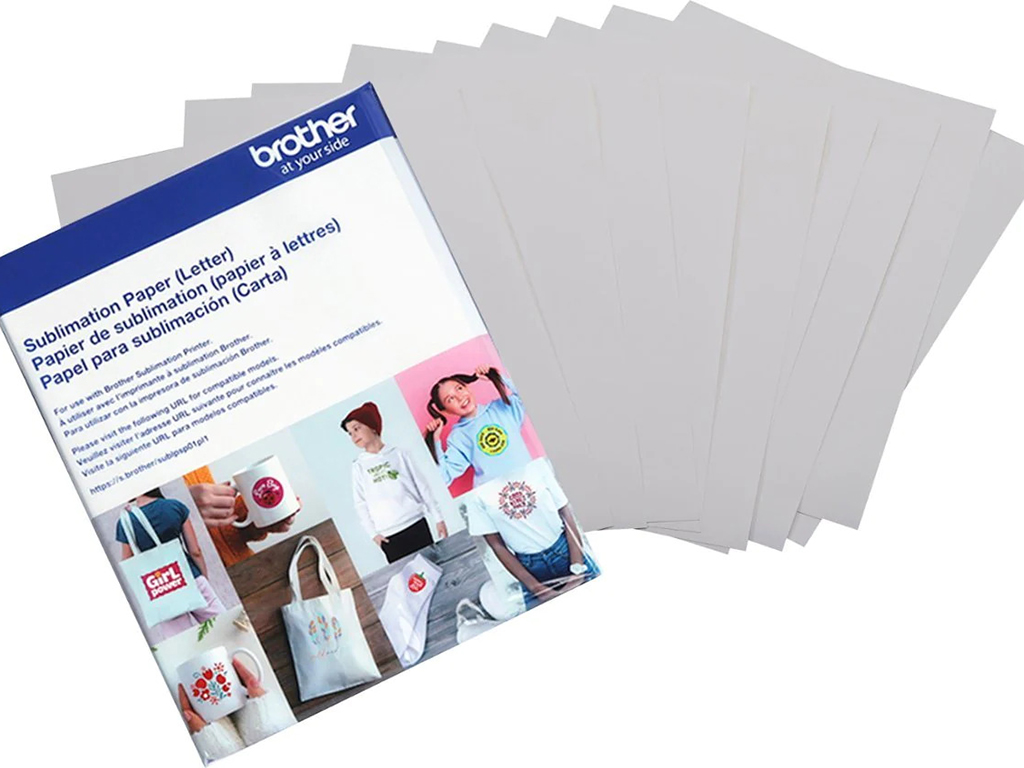
Sublimation paper is an important part of the dye-transfer process, but you can’t use it interchangeably with every printer. The paper is designed to work with specialised dye formulations and a heat-transfer workflow, so choosing the right equipment matters.
If you already own an inkjet printer, you may be wondering whether you can simply load sublimation paper and start printing. In most cases, the answer is no. The printer, consumables, paper, and transfer material must all be compatible.
Why Doesn’t Sublimation Paper Work With Every Printer?
Sublimation paper is engineered to receive dye from a compatible printing system and release it efficiently when exposed to heat. A conventional office or home printer may not be designed for the required dye formulation or transfer process.
The paper itself does not turn an ordinary machine into a sublimation system. You need equipment that uses compatible dye-based consumables and produces a transfer suitable for heat pressing.
Using an unsuitable combination can lead to poor colour reproduction, inconsistent transfers, or equipment problems.
What Does Sublimation Paper Do?
Sublimation paper temporarily holds the printed design until it transfers to the final product.
Its coating controls how the dye sits on the sheet and how it releases during heating. When you press the transfer against a suitable polyester or polymer-coated substrate, heat turns the dye into a gas and moves it into the surface.
The sheet is therefore more than just a place to print the artwork. Its coating is part of the transfer system and can affect how much dye is released, colour reproduction, and the overall result.
Which Printers Can Use Sublimation Paper?
The most straightforward option is a dedicated sublimation printer. These machines are designed for the process and come with compatible dye formulations.
Brands such as Sawgrass and Epson offer dedicated models for different production needs. Depending on the equipment, features can include specific printhead technology, colour-management software, dedicated cartridges or tanks, and support for particular transfer papers.
When choosing equipment, check the manufacturer’s specifications rather than assuming that any inkjet machine will work.
Can a Regular Inkjet Printer Use Sublimation Paper?
Simply using sublimation paper in a standard inkjet printer does not produce a sublimation transfer.
The paper may physically pass through some inkjet machines, but that doesn’t mean the resulting print will be suitable for heat transfer. The machine also needs a compatible dye formulation and a workflow designed for the process.
Some desktop printers can be used for sublimation after conversion, while others cannot. Compatibility depends on the specific model and its printhead and ink-delivery system.
Can You Convert a Printer for Sublimation?
Some compatible desktop inkjet printers can be converted for sublimation, but this is not a universal option.
A conversion generally involves replacing the original consumables with sublimation-specific products and establishing an appropriate colour-management and maintenance workflow. The exact requirements depend on the printer model.
Before converting a machine, check:
- Whether the manufacturer or supplier supports the intended use
- Whether the printhead technology is compatible
- Whether suitable consumables are available
- Whether appropriate colour profiles are available
- How the conversion affects warranty or manufacturer support
- Whether the machine can be maintained reliably after conversion
A converted system also requires more user attention than a dedicated machine. For regular production, a purpose-built option may provide a simpler workflow.
What Happens If You Use the Wrong Printer?
The results can vary depending on the equipment and materials involved, but common problems include:
Poor Colour Reproduction
A standard inkjet formulation is not designed to behave like sublimation dye during heat transfer. Colours may therefore appear weak, inaccurate, or inconsistent.
Poor Transfer Results
Even if the design looks acceptable on the sheet, it may not transfer properly onto the final product.
Smudging or Incorrect Drying
Paper coatings and ink formulations are designed to work together. Using an unsuitable combination can affect drying and handling.
Equipment Compatibility Problems
Putting an unsupported consumable into a machine can create maintenance issues or affect manufacturer support.
For these reasons, loading sublimation paper into a random office or home printer is not a reliable shortcut.
Does the Type of Sublimation Paper Matter?
Yes. Transfer papers differ in coating, weight, drying behaviour, and intended applications.
Some are designed for different types of dye-sublimation workflows, while others are developed for particular printers, transfer conditions, or substrates.
When choosing a product, consider:
- Your printer model
- The type of dye formulation being used
- The substrate you are transferring onto
- The required transfer conditions
- The manufacturer’s recommendations
Using paper compatible with the complete system can help produce more consistent results.
Dedicated vs. Converted Systems
Both approaches can work, but they involve different considerations.
| Factor | Dedicated System | Converted Printer |
|---|---|---|
| Setup | Designed for the process | Requires conversion |
| Compatibility | Specified by manufacturer | Depends on model and components |
| Maintenance | Manufacturer-supported workflow | More user responsibility/td> |
| Colour management | Usually built around the system | May require additional setup |
| Support | Typically available through the manufacturer | Varies by supplier |
| Best suited to | Regular or reliable production | Smaller-scale users with technical knowledge |
Neither option is automatically right for everyone. Your budget, workload, technical experience, and need for manufacturer support should all factor into the decision.
How Do You Choose the Right Setup?
Start with the printer, not the paper.
If you want a straightforward workflow:
- Look at a dedicated sublimation model and use the consumables and transfer paper it specifies.
If you already own a compatible desktop printer:
- Check whether the exact model can be converted and whether suitable supplies and profiles are available.
If you produce regular commercial orders:
- Consider equipment designed for your expected volume and substrate range rather than adapting an unsuitable office machine.
If you are experimenting at home:
- Check the total cost of conversion, maintenance, paper, consumables, and compatible blanks before deciding whether a converted system makes sense.
How Can You Get Better Transfer Results?
Good results depend on the entire workflow, not just the sheet.
- Use a compatible printer and dye formulation.
- Choose transfer paper recommended for your system.
- Print on the correct side of the sheet.
- Follow the manufacturer’s colour-management guidance.
- Use substrates designed for sublimation.
- Keep the paper dry and store it according to the supplier’s instructions.
- Follow the recommended heat, pressure, and pressing time.
- Test unfamiliar paper or blanks before producing a large order.
Small differences in paper, substrate, equipment, and heat settings can affect the finished result, so testing is useful when changing products.
Is Sublimation Paper Right for Your Printer?
Sublimation paper works best when paired with a compatible printing system and dye formulation. It is not a universal inkjet paper you can load into any machine.
Before buying, confirm your exact printer model, the consumables it supports, the transfer paper type recommended for the system, and the products you intend to decorate.
If you do not already have compatible equipment, a dedicated sublimation printer can simplify the process. If you are considering conversion, verify the specific model rather than assuming that every inkjet machine can be adapted.
Conclusion
Sublimation paper is designed to work as part of a complete heat-transfer system. Using it successfully requires a compatible printer, dye formulation, transfer paper, heat source, and suitable substrate.
A standard printer should not be treated as compatible simply because it can physically feed the paper. Dedicated equipment offers a more straightforward setup, while certain desktop models can be converted when their specifications support the process.
If you need professional sublimation or other custom printed products, Triboro Printing can help you explore the appropriate production method for your project.
FAQs
A: You may be able to physically feed the sheet through some regular inkjet printers, but that does not make the machine suitable for sublimation. The printer and consumables must be compatible with the heat-transfer process.
A: You need a dedicated sublimation printer or a compatible printer that has been properly converted for this purpose. Always check the exact model and manufacturer’s or supplier’s compatibility guidance.