Can You Sublimate on Leather?
Sublimation works especially well on polyester and specially coated surfaces, but leather is different. Whether a design transfers successfully depends on the material’s composition and how its surface has been prepared.
Untreated genuine leather generally isn’t suitable for the standard process because the method relies on a compatible polymer surface to receive the dye. However, certain synthetic alternatives and specially coated products are manufactured for heat transfer.
Can You Sublimate on Leather?
You generally cannot transfer sublimation designs directly onto untreated genuine leather.
The dyes need a suitable polymer surface to bond with. Traditional leather does not have the same properties as polyester or a polymer-coated substrate, so the result may lack the expected colour, clarity, or durability.
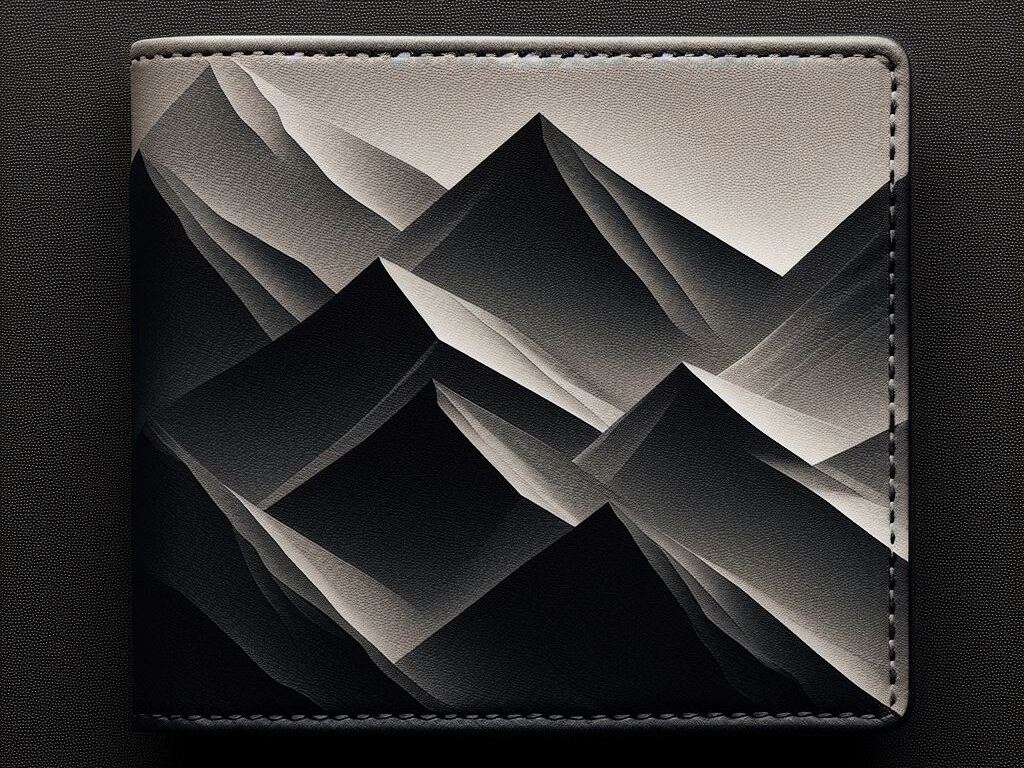
Some leather-like products are manufactured with a compatible coating that can accept transferred designs. These are often used for personalised accessories and promotional items.
The safest approach is to check the manufacturer’s specifications rather than assuming that any similar-looking surface will work.
What Type of Material Can Be Used?
The surface composition matters more than simply calling a product “leather.”
Sublimation-Compatible Synthetic Alternatives
Certain items have a treated surface designed to accept transferred designs. The coating must be compatible with the recommended heat, pressure, and pressing time.
Specially Coated Products
Certain products may have a specially treated surface that makes them suitable for sublimation. The coating needs to be compatible with the transfer process and the recommended heat and pressure settings.
Untreated Genuine Leather
Traditional leather typically doesn’t provide the polymer surface required for standard dye transfer. Heat and pressure can also affect its finish, shape, or overall condition.
How Does the Transfer Process Work?
With an approved substrate, the general process involves transferring a printed design onto its prepared surface using controlled heat and pressure.
Check the Material
Confirm that the product is specifically intended for this application. Follow the supplier’s recommended temperature, pressure, and pressing time.
Prepare the Artwork
Create the design at an appropriate resolution and check its dimensions against the printable area. Transfers generally produce their strongest results on light-coloured surfaces.
Print the Transfer
Print the artwork onto suitable transfer paper using compatible ink. Follow the printer and paper manufacturer’s instructions for colour settings and image preparation.
Position the Design
Carefully place the transfer on the prepared surface. Use appropriate protective sheets if the manufacturer recommends them.
Apply Heat and Pressure
Use the settings specified for that particular product. Don’t assume settings used for polyester will work on another substrate.
Inspect the Result
After pressing, check the colour, image clarity, adhesion, and surface condition. A test piece is useful before producing a larger batch.
What Happens If You Sublimate on Regular Leather?
The result can be unpredictable.
Because untreated leather doesn’t provide the polymer surface this process typically requires, the design may not transfer properly. Heat can also affect the material itself, potentially changing its appearance or finish.
Testing an unfamiliar substrate before production can help identify these issues. If the product doesn’t support this method, another decoration technique may be more appropriate.
What Can You Make With Compatible Alternatives?
You can use approved leather-like materials for a variety of personalised products, depending on the specific substrate.
Possible applications include:
- Wallets
- Keychains
- Journals and notebook covers
- Luggage tags
- Small accessories
- Promotional products
- Personalised gifts
The final application depends on the product’s construction and intended use. Always check whether the finished item is suitable for heat transfer before attempting customization.
Sublimation Leather vs. Polyester
| Feature | Sublimation-Compatible Leather Alternative | Polyester |
|---|---|---|
| Surface | Specially coated or manufactured | Polymer-based fabric or substrate |
| Standard sublimation suitability | Depends on product | Generally well suited |
| Appearance | Can provide a leather-like finish | Fabric or coated-product appearance |
| Heat settings | Vary by manufacturer | Follow product-specific recommendations |
| Colour limitations | Depends on surface colour | Best results usually on light surfaces |
| Testing | Strongly recommended | Still useful for new products |
The material manufacturer’s instructions should always take priority over general sublimation settings.
How Can You Get Better Results?
A few simple checks can prevent problems:
- Confirm the substrate is specifically approved for the process.
- Use the recommended transfer paper and ink.
- Follow the supplier’s heat and pressure specifications.
- Test a sample before producing a full batch.
- Check how the design looks against the base colour.
- Inspect the finished product for colour, adhesion, and surface changes.
If you’re working with a new substrate, don’t rely solely on settings used for another product. Different coatings and constructions can respond differently to heat.
Is This the Right Choice for Leather Products?
If you want to customise genuine leather, this method may not be the best option. Other decoration techniques may suit untreated material better, depending on the product and desired result.
For synthetic or coated products specifically manufactured for this process, however, it can produce detailed, colourful designs without conventional surface printing.
Conclusion
Untreated genuine leather generally isn’t suitable for standard sublimation because it lacks the polymer surface required for the dye to bond properly. Specially coated and compatible alternatives can work for products such as wallets, journals, accessories, and promotional items.
If you’re unsure whether a particular material is suitable, check its specifications and test a sample before production. Triboro Printing can also help you explore suitable printing options for custom products and materials.
FAQs
A: Some leather products can tolerate controlled heat, but safe temperatures and pressing methods vary by material. Always follow the manufacturer’s instructions and test a sample first to avoid damaging the surface.