how to print photos on glass?
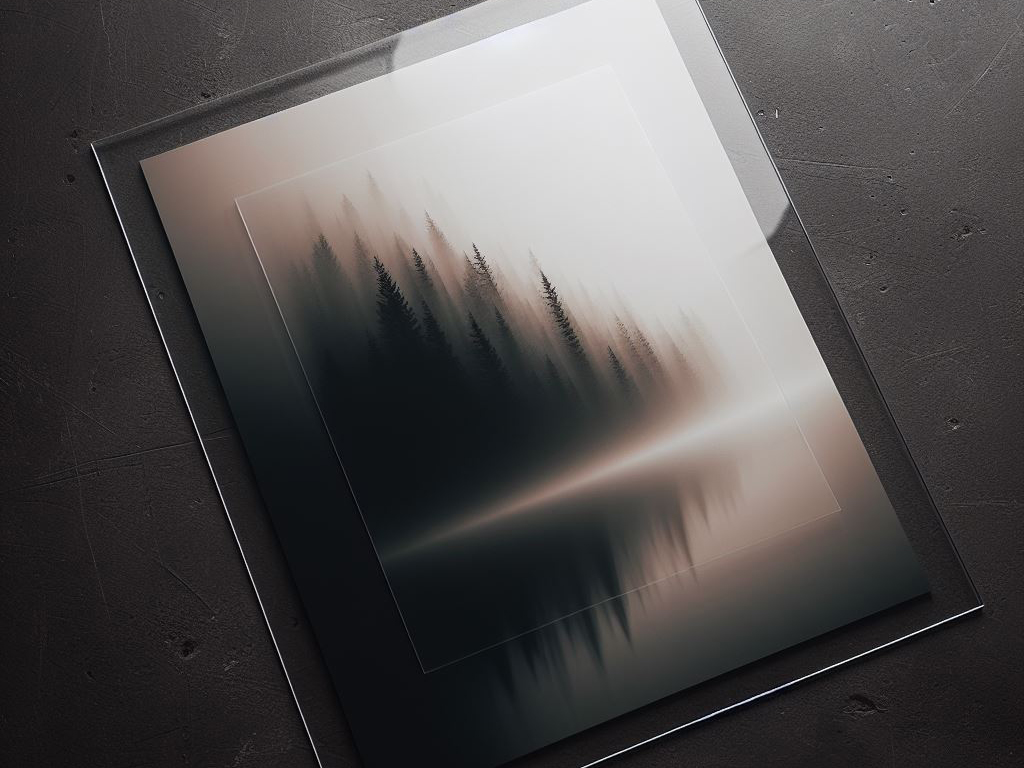
Printing a photo on glass can give an image a clean, modern appearance while making it suitable for displays, décor, signage, and other creative projects. Unlike a traditional paper print, glass provides a smooth surface that interacts with light and gives the finished image a distinctive look.
But how does the process actually work? Can a regular printer handle glass, and what do you need to do to make the image adhere properly?
This guide explains how to print photos on glass and what to consider before starting.
Can You Print Photos on Glass?
Yes, you can print photos directly onto glass using specialised printing equipment.
One common approach is UV flatbed printing, where UV-curable ink is deposited directly onto a suitable glass surface and cured with ultraviolet light during printing. Depending on the equipment and desired appearance, white ink may also be used as part of the design.
The exact process varies by glass type, ink system, printer, and intended application. Not every piece of glass will produce the same result, so material compatibility and preparation are important.
What Type of Glass Can Be Used for Photo Printing?
The glass needs to be suitable for the selected printing process. A smooth, clean surface is generally important, but the exact glass specification depends on the project.
Factors to consider include:
- Glass thickness and size
- Surface condition
- Whether the glass is clear, tinted, frosted, or textured
- Whether the glass has been treated or coated
- Intended indoor or outdoor use
- Required durability and handling conditions
For architectural, display, or safety-related applications, select the glass type based on the requirements of the finished installation.
How Do You Print Photos on Glass?
The production process can vary by provider, but a typical direct-to-glass workflow looks like this.
Step 1: Select the Glass
Start with a glass product that is compatible with the chosen printing method. Consider the size, thickness, surface, and intended use before production.
For larger pieces or applications where safety matters, establish the right glass specification before preparing the artwork.
Step 2: Prepare the Photo
The quality of the original image strongly affects the finished print.
Before production, check:
- Image resolution
- Final print dimensions
- Cropping
- Colour
- Brightness and contrast
- Important details such as faces or text
An image that looks sharp on a phone or computer screen may not contain enough information for a large-format print. Preparing the file at the intended output size helps reduce unexpected quality issues.
Step 3: Prepare the Glass Surface
The glass must be clean and free from dust, grease, fingerprints, and other contaminants.
Depending on the printing system, the surface may also require a primer, coating, or other treatment to improve ink adhesion. This isn’t universal, so the printer or ink manufacturer’s requirements should determine the preparation method.
Step 4: Set Up the Artwork for Printing
Position the artwork according to the glass’s final orientation.
This is particularly important when the image will be viewed through the glass rather than directly from the printed side. The production team may need to account for viewing direction, transparency, and whether the image requires white ink behind it.
Step 5: Print With a UV Flatbed Printer
A UV flatbed printer can deposit ink directly onto suitable glass.
The ink cures with UV light during printing, allowing the graphic to set on the surface without the drying process used in some traditional printing methods.
UV printing can reproduce photographs, graphics, text, and other detailed artwork, provided the glass and ink system are compatible.
Step 6: Inspect the Finished Print
After printing, inspect the glass for issues such as dust, scratches, registration problems, or unexpected colour differences.
Handle the finished piece according to the requirements of the selected ink and glass product.
Why Is White Ink Important When Printing on Clear Glass?
Clear glass presents a particular challenge because the surface itself does not provide a white background.
A conventional image may therefore appear different when printed on transparent material. White ink can be used in certain printing workflows to create an opaque base or specific visual effects.
For example, a printer may place white ink behind selected areas of a design to make colours appear more solid. The exact layer arrangement depends on whether the graphic is intended to be viewed from the front, through the glass, or from another direction.
What Affects the Quality of a Glass Photo Print?
Several factors can influence the final appearance.
Image Quality
A high-quality source image gives the printer more detail to work with. Low-resolution files can become visibly soft or pixelated when enlarged.
Glass Surface
Smooth, clean, compatible glass generally provides a more predictable printing surface. Special finishes or treatments may require a specific production approach.
Colour Preparation
Colours can look different on a transparent or reflective surface than on a computer monitor. Viewing conditions and the use of white ink can also affect the final appearance.
Printing Technology
The printer and ink system determine factors such as achievable detail, colour reproduction, adhesion, and suitable substrates.
Viewing Conditions
Lighting can significantly change how a glass print looks. Reflections, transparency, and the colour of the surface behind the glass can all influence the image.
Can You Print on Both Sides of Glass?
In some applications, yes. Printing on one or both surfaces can create different visual effects, but the correct method depends on how the finished piece will be viewed.
For example, you may print a design on the reverse side of a clear sheet so it can be viewed through the glass from the front. White ink and layer order can also control opacity and colour appearance.
Plan this before production because the viewing direction affects how the artwork needs to be prepared.
What Are Glass Photo Prints Used For?
Printed glass can be used in a range of decorative and commercial applications, including:
- Photo displays
- Interior décor
- Artwork and exhibitions
- Retail displays
- Office graphics
- Reception areas
- Decorative panels
- Branded installations
- Event displays
- Signage
The right glass and printing process depends on whether the finished piece is primarily decorative or needs to withstand regular handling or environmental exposure.
What Are the Benefits of Printing Photos on Glass?
Glass offers a different visual and physical finish from conventional paper printing.
Some potential benefits include:
- A smooth, contemporary appearance
- Detailed photographic reproduction
- A rigid display surface
- Opportunities for transparent or layered visual effects
- Easy integration into certain interior displays
- A distinctive alternative to paper or canvas
However, glass is also heavier and more fragile than many traditional print substrates. The finished piece therefore needs appropriate handling, mounting, and installation.
Is Printing Photos on Glass Better Than Printing on Paper?
Neither option is universally better. They serve different purposes.
Paper is lightweight, flexible, and available in a wide range of finishes and weights. Glass provides a rigid surface and can create transparency, reflections, and other visual effects that paper cannot.
Choose based on:
- Where the image will be displayed
- Desired appearance
- Size
- Handling requirements
- Mounting method
- Budget
- Required durability
For a simple framed photograph, paper may be more practical. For a decorative panel, exhibition piece, or specialised display, glass may offer the appearance you want.
How Can You Get Better Results When Printing Photos on Glass?
Start with a high-resolution image, and confirm the final dimensions before preparing the artwork.
It is also useful to:
- Confirm the glass specification with the printer
- Check whether white ink is required
- Ask about surface preparation
- Review colour expectations before production
- Consider how the image will be viewed and lit
- Confirm mounting and installation requirements
- Request a proof or sample when appropriate
For important photographic or colour-sensitive projects, discussing these details with the printer before production can prevent avoidable surprises.
Conclusion
Printing photos on glass is possible with specialised equipment and a suitable glass surface. UV flatbed printing is one common method, allowing photographic images and graphics to be printed directly onto compatible glass.
The best results depend on more than the printer itself. Image quality, glass selection, surface preparation, colour management, white ink, viewing direction, and installation all need to be considered as part of the project.
If you are planning a photographic display, exhibition, or event graphic, Triboro Printing can help you explore suitable printing options based on your project’s requirements.